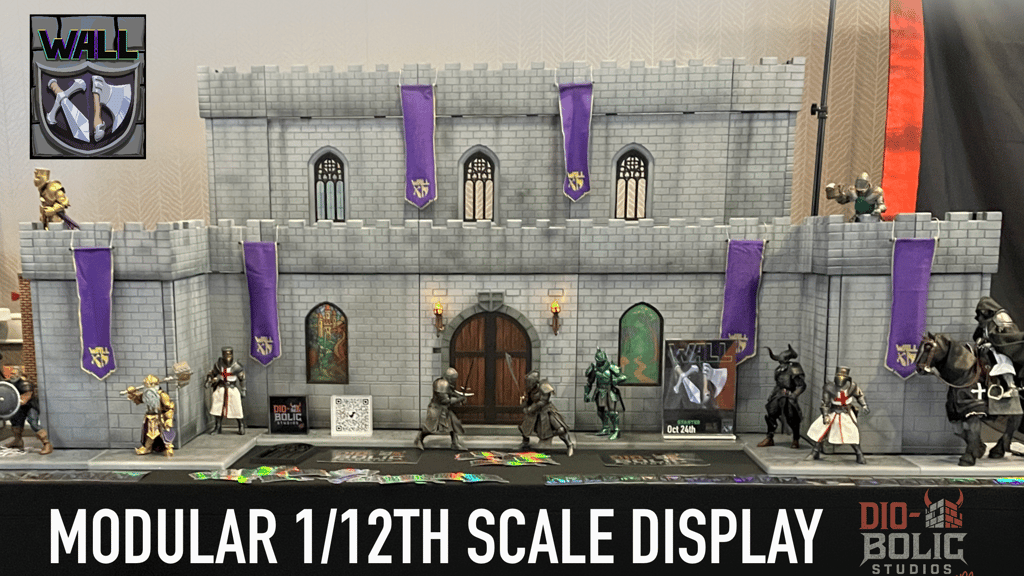
Will Mythic XD connect to my existing Wall XD setup?
Will Mythic XD connect to my existing Wall XD setup? Absolutely — we kept all tab and base standards the same so both themes mix freely.
Last updated: October 29, 2025 06:35
Can I use doors/accessories from Wave 1?
Yes and No - Mythic XD will use a new peg standard. There will be an adapter peg for the standard wave 1 accessories however the overhead door will not.
Last updated: November 11, 2025 09:21
Why is the Early Bird $40 vs. $59 standard?
We want to reward early supporters. The $40 is limited and never returns — after that, the single panel is $59.
Last updated: October 09, 2025 09:57
When will I get mine?
The schedule is in the timeline above — tooling, pilot runs, freight — we expect US delivery early-2027.
Last updated: October 24, 2025 08:04
How much does shipping cost?
Shipping will be calculated in the pledge manager. We have tiered bands by weight/region. We aim to reduce surprise by showing box weight estimates early in updates.
Last updated: October 09, 2025 09:57
Will this be open to international Backers?
Support for international backers will be through our retail partner for orders and fulfillment.
Last updated: October 24, 2025 08:04
How to Modify or Add Items to Your Mythic XD Pledge
If you’d like to update your pledge or add more Mythic XD components, here’s a quick walkthrough:
� Step 1 — Log In
Log in to your Kickstarter account using the same email or login you originally used to back the Mythic XD campaign.
� Step 2 — Manage Your Pledge
Go to the Mythic XD Kickstarter page and click “Manage your pledge.” This will open your pledge summary.
� Step 3 — Change Your Pledge
Click the “Change your pledge” button. This will take you to the reward selection screen.
� Step 4 — Re-Select Your Tier
Choose the same reward tier you originally backed. (This step is required in order to access the add-on menu.)
� Step 5 — Add or Modify Items
After re-selecting your tier, the Add-Ons page will load. Here you can:
Add additional walls, corners, or accessories
Adjust quantities
Review your selections before checkout
� Step 6 — Confirm and Pay
Once you’ve made your selections, click Continue to proceed to the payment screen. You’ll have two options:
Pay in full
Pay over time (Kickstarter’s split-payment option)
� Step 7 — Final Confirmation
After completing payment, you’ll see a “Thank You” pop-up with your updated order summary. Double-check the details to make sure everything looks correct.
Last updated: October 29, 2025 06:35
Are the STRETCH goals included with my pledge?
Yes, as we reach each goal they will be automatically added to your pledge based on the number of Mythic XD wall sets you back.
Last updated: October 29, 2025 06:35
Will the add on Mythic XD wall sets include the stretch goals if those get unlocked?
Stretch goals once unlocked will be applied only to the main tiers not add-on sets.
Last updated: November 11, 2025 09:19
What is BackerKit?
BackerKit is a service that crowdfunded project creators use to keep track of hundreds to tens of thousands of backers—from shipping details, pledge levels, preferences and quantities, whether they have paid or had their card declined, special notes, and everything in between!
The BackerKit software and support team is independent from the campaign’s project team—BackerKit does not handle the actual reward shipping. For more information about the preparation or delivery status of your rewards, please check the project's updates page.
How does BackerKit work?
After the campaign ends, the project creator will send you an email with a unique link to your survey. You can check out a walkthrough of the process here.
I never received my invitation. How do I complete the survey?
The most common reasons for not receiving a survey email is that you may be checking an email inbox different from the email address you used to sign up with Kickstarter, Indiegogo or Tilt Pro account, or it may be caught in your spam filter.
Confirm that the email address you are searching matches the email address tied to your Kickstarter, Indiegogo, or Tilt Pro account. If that doesn’t work, then try checking your spam, junk or promotions folders. You can also search for "backerkit” in your inbox.
To resend the survey to yourself, visit the project page and input the email address associated with your Kickstarter, Indiegogo or Tilt Pro account.
How do I update my shipping address?
BackerKit allows you to update your shipping address until the shipping addresses are locked by the project creator. To update your address, go back to your BackerKit survey by inputting your email here.
When will my order be shipped, charged or locked?
That is handled directly by the project creator. BackerKit functions independently of the project itself, so we do not have control of their physical shipping timeline. If you want to check on the project’s status, we recommend reading over the project's updates page.
I completed the survey, but haven't received my rewards yet. When will they arrive?
As BackerKit does not actually handle any rewards or shipping, the best way to stay updated on the shipping timeline would be to check out the project's updates page.